Home > Resources > Small Business Tech > Invoicing software explained
Invoicing software explained
Get paid faster and stay organised. A practical guide to invoicing software for small businesses.
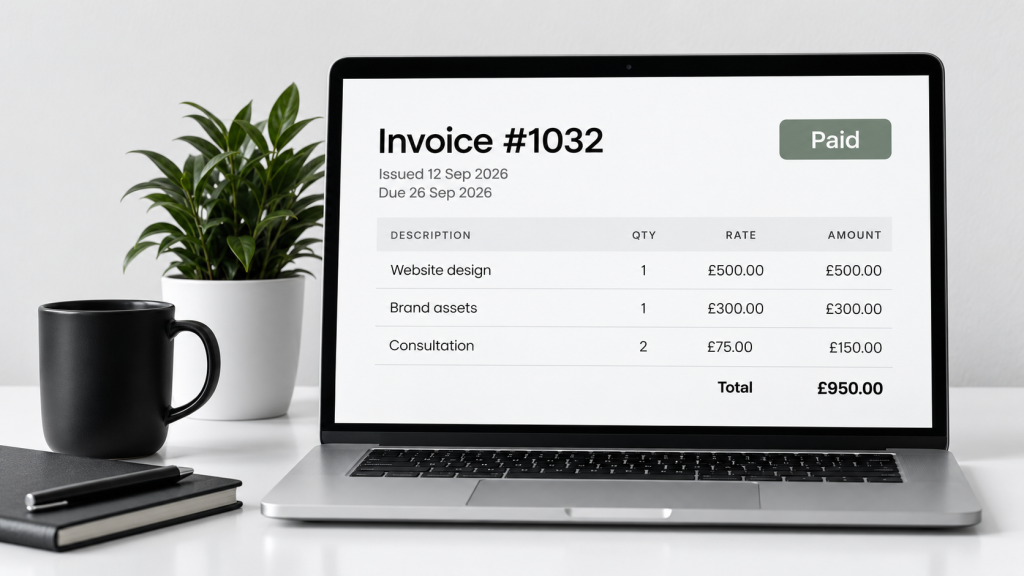
What is invoicing software?
Invoicing software helps you create, send and track invoices, making it easier to get paid and manage your finances. It can also help with quotes, expenses, reminders and basic accounting.
Create
Professional invoices in minutes
Send
Email directly to your clients
Track
See what’s paid, what’s overdue
Why use invoicing software?
Save time
Create and send invoices quickly with ready-to-use templates.
Get paid faster
Automated reminders help you follow up on overdue invoices.
Stay organised
Keep all your invoices, quotes and client details in one place.
Look professional
Send clear, branded invoices that build trust with your clients.
Popular invoicing software (comparison)
| Software | Best for | Key features | Free plan | Paid plans from (approx.) |
|---|---|---|---|---|
| QuickBooks Online | Growing businesses | Invoicing, expenses, reports, VAT, integrations | No (30-day trial) | £12/month |
| Xero | Small to growing businesses | Invoicing, bank feeds, reports, VAT, integrations | No (30-day trial) | £13/month |
| FreeAgent | Freelancers and sole traders | Invoicing, expenses, tax support, reports | Yes (limited) | £11/month |
| Zoho Invoice | Freelancers and small businesses | Invoicing, quotes, expenses, client portal | Yes | £6/month |
| Wave | Freelancers and very small businesses | Invoicing, receipts, basic accounting | Yes | Free (paid add-ons for payments) |
Prices are approximate and may change. Check each provider’s website for the latest details.
Key features to look for
Customisable invoices
Add your logo and brand colours.
Online payments
Let clients pay by card or bank transfer.
Automated reminders
Reduce late payments with friendly reminders.
Reporting
See what’s paid, overdue and your income over time.
Mobile app
Create and send invoices on the go.
Integrations
Connect with your bank, accounting tools and other apps.
How to choose the right software
- How many invoices do you send each month?
- Do you need to track expenses as well?
- Do you need a free plan or a low-cost option?
- Will you need to add VAT?
- Do you want to accept online payments?
- Does it integrate with other tools you use?
- Is it easy to use on mobile?
Common mistakes to avoid
- Choosing software that’s more complex than you need
- Forgetting to set up payment reminders
- Not checking transaction fees for card payments
- Ignoring VAT settings if applicable
- Not backing up your data (even with cloud software)
Let’s work together on your
next web project
Every project is a journey, and we are here to guide you every step of the way.